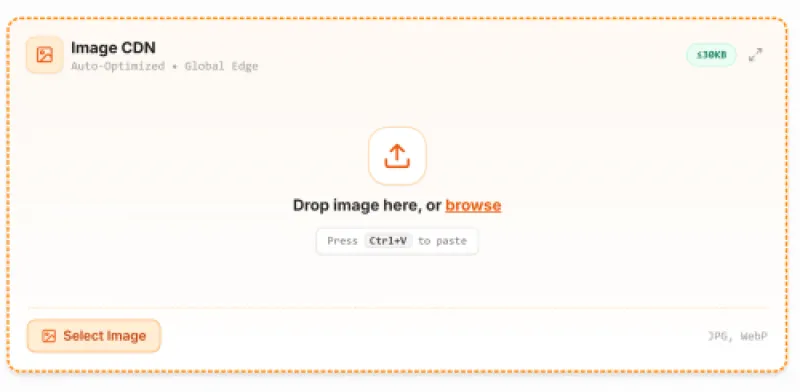
I'm sure you've used image hosting sites before, but did you know you can host and share your web images directly on StaticSave for free? Whether you need to link a screenshot in a GitHub README, embed an icon into your website, or share an image with a colleague, uploading and saving images in the cloud has never been simpler.
Here is a quick and simple guide on how to upload, store, and share your images online for free.
Hosting images online is fast and easy
Hosting your images on StaticSave is completely free, quick, and gives you a direct link that loads fast across the web.
Use these simple steps to host images online:
- Open StaticSave: Go to StaticSave.com and log into your account (or use Temporary Hosting if you just need a quick link without signing up).
- Upload or Paste Your Image: Drag and drop your image file, select it from your device, or simply press Ctrl + V (or Cmd + V) to paste a screenshot directly from your clipboard!
- Save and Copy Your Link: Click save, and you'll instantly get a direct raw CDN URL to share or embed anywhere.
Also Read: How to Save Your Code Online for Free
Why host images with StaticSave?
Traditional file hosts often wrap your images in heavy preview pages loaded with popups and banners. StaticSave is built differently:
- Direct Raw CDN Links: You get a clean, direct link that points straight to the image. It is ready to embed into
<img>tags, CSS background rules, and Markdown files. - Instant Clipboard Paste: You don't have to save a screenshot to your desktop first. Just copy any image and paste it straight into the editor.
- Automatic Web Optimization: StaticSave automatically optimizes and compresses images (like modern WebP and JPEG) right in your browser before saving. This keeps files lightweight and ensures fast loading times.
- Free & Lightweight: Perfect for developers, bloggers, students, and designers who need reliable static asset hosting with zero complicated configurations.
What can you use image hosting for?
You can keep all your visual assets organized alongside your code snippets and text files:
- GitHub & Markdown Docs: Add screenshots, flowcharts, and diagrams into your project README.md without cluttering your git repository.
- Websites & Prototypes: Host site logos, avatars, favicons, and hero images for your CodePen, JSFiddle, or test websites.
- Notes & Documentation: Embed reference visuals into your personal wikis or online notes.
- Sharing with Others: Send direct image links to friends, clients, or team members via chat or email.
Also Read: Temporarily Upload or Host Static Files for Free without SignUp
Keep your files organized in one place
With StaticSave, you can organize your images right alongside your CSS, JavaScript, JSON, and text documents.
- Group related assets into custom folders and pages.
- Update or replace an image whenever you need to without breaking links.
- Access your hosted files anytime from any computer or browser.
Conclusion
If you're looking for a quick, hassle-free way to host and link images on the web, give StaticSave a try. Just sign up for a free account, paste or upload your image, and grab your direct link in seconds!
Have questions or need help setting up? Reach out through the dashboard chat support—we're always happy to help. c, sample markdown.